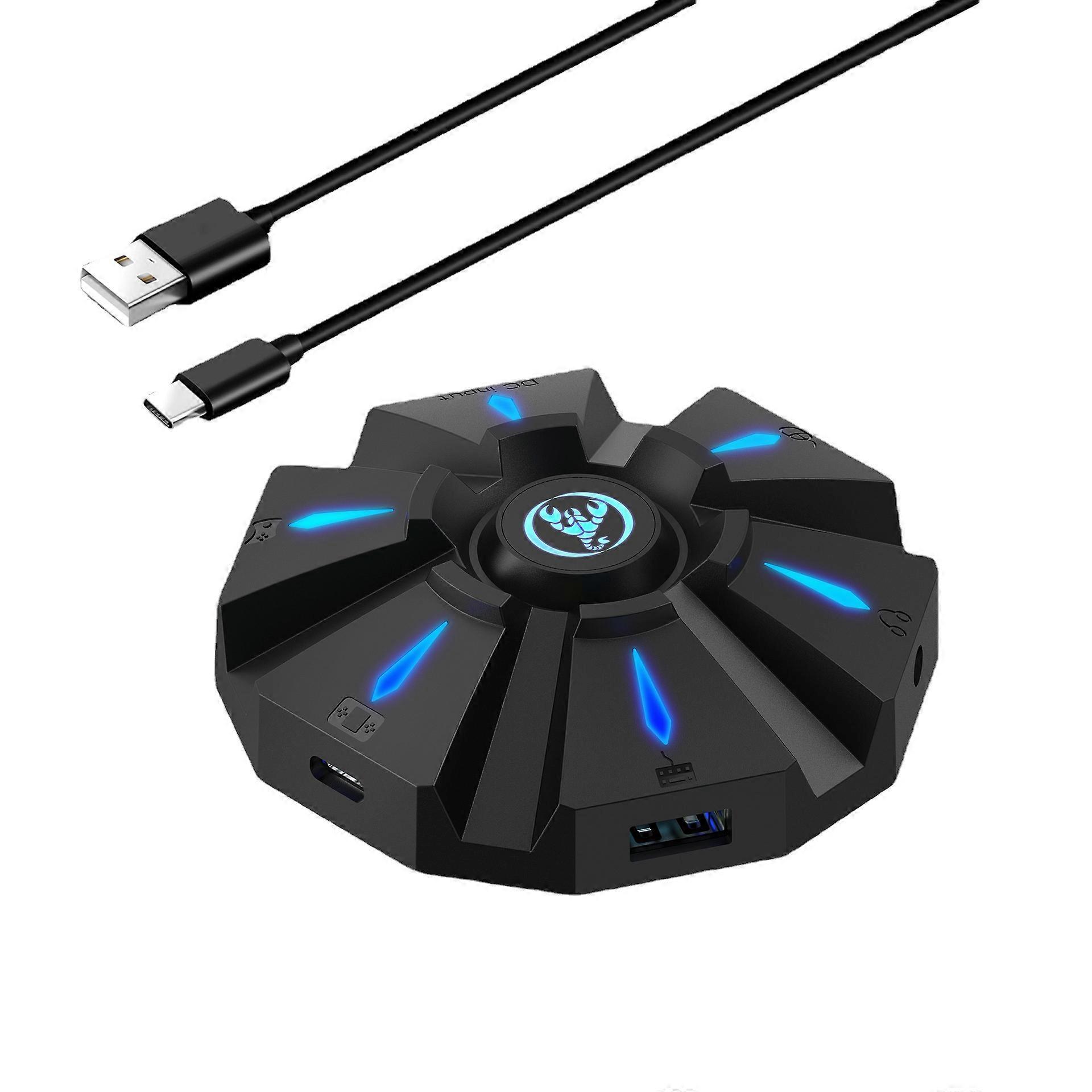
Game console keyboard and mouse converter, supports PS3 PS4 wired conversion

£28.79
+ £10.79 Shipping

Game console keyboard and mouse converter, supports PS3 PS4 wired conversion

  • Brand: Unbranded
Sold by:

Game console keyboard and mouse converter, supports PS3 PS4 wired conversion

  • Brand: Unbranded

£28.79

Save £66.21 (69%)

RRP

£95.00
In stock
+ £10.79 Shipping

14-Day Returns Policy

Sold by:

£28.79

Save £66.21 (69%)

RRP

£95.00
In stock
+ £10.79 Shipping

14-Day Returns Policy

Payment methods:

Description

Game console keyboard and mouse converter, supports PS3 PS4 wired conversion

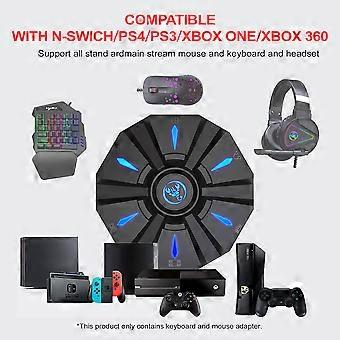
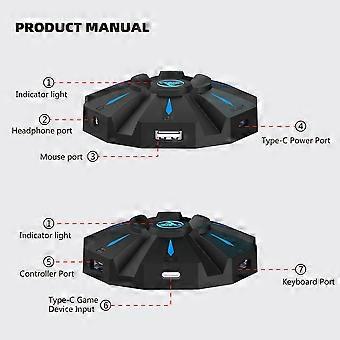
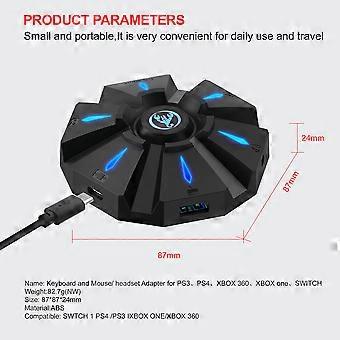
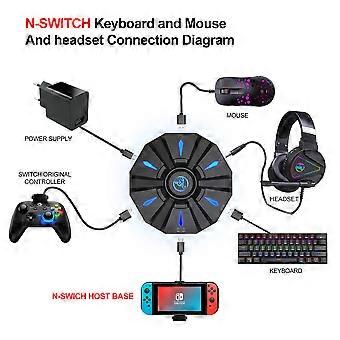
Product size: 8.7*8.7*2.4cmPRODUCT CONNECTION INSTRUCTIONS:Start the console and connect the adapter via an USB TYPE-C data cable ( USB port plug to the console, TYPE-C port plug to the converter) then LED white light.Plug the original wired controller to guide the yellow LED light.Insert the keyboard then LED red light ;insert the mouse then LED green light.After all connected,the LED will breathe in circulation from yellow,cyan,purple and pink.SETTING INSTRUCTIONS:1Set Keyboard And Mouse FunctionsPress the keyboard ESC + SPACE (space bar) at the same time to enter the function mode of setting the keyboard and mouse buttons (LED blue light)Press and hold the function button you want to set on the original controller, then press the button on the keyboard or mouse you want to set, and release the button on the original controller and the button on the keyboard or mouse.After the setting is completed, press ESC + SPACE on the keyboard to save the current setting and exit the setting mode.For example: press ESC + SPACE (space bar) to enter the setting mode, press and hold the original SWITCH controller A key, and then press the keyboard F key to release the original SWITCH controller A key. The function of the controller A key.2Note On Keyboard And Mouse Setting FunctionsDuring the setting process, if you do not hold down the original controller function key or joystick to the end, the original set function of the keyboard or mouse will be clearedWhen setting the functions of the original joystick left and right to the keyboard, the direction of the joystick must be pushed to the end, and only the four directions of the joystick up, down, left, and right can be set.For the setting of the mouse, when the original joystick direction must be pushed to the end, the mouse slides in the corresponding direction, and the mouse only supports the corresponding function of the left and right joystick directions.Original controller cross key supports 8 directions setting3Mouse Speed AdjustmentThe product supports mouse movement speed adjustment, the default is the third gear.Shaft speed adjustment: ESC + CAPSLOCK+A/ S/ D/ F / G4Mouse Y Axis Direction SwitchThe control of the Y axis of some games is opposite to the set value.The game operator can adjust the Y axis direction of the mouse according to his needs by pressing ESC + R.5Function Switching InstructionsEnter setting mode: ESC + SPACEDefault page 1: SC+ CTRL + QExit setting mode: ESC + SPACEMouse speed switch: ESC + CAPSLOCK+A/ S/D/ F / GY axis plus reverse: ESC + RPage area selection: ESC+ TAB+Q /W/ E/ R/ TKey value restore default: SC + CTRL + ALT (long press for 3 seconds)6Upgrade Instructions(you cannot upgrade at will without the correct upgrade program)On a Windows computer, open the upgrade software. When the converter does not enter the upgrade mode, "Update rm ware" is light gray.Connect the converter to the computer through the USB data cable. At this time, the converter's white LED is on, plug in the keyboard and the red LED is on. Press the keyboard SC+ CTRL + ALT + SPACE and hold it for 3s. At this time, the "Update rm ware "Is black, click the button"Update rm ware "to update the converter rm ware.The OK window pops up and displays "Update Success", indicating that the upgrade is complete. Click OK.
  • Fruugo ID: 269667077-596712325
  • EAN: 7438968273854

Product Safety Information

Please see the product safety information specific to this product outlined below

The following information is provided by the independent third-party retailer selling this product.

Product Safety Labels

CE Mark
Safety Warnings: Not suitable for children under 36 months,Choking Hazard,Adult supervision recommended
Ingredients: Octinoxate 6.7%,Titanium Dioxide 1.6%,Butylene Glycol,Polymethylsilsesquioxane

Delivery & Returns

Dispatched within 2 days

  • STANDARD: £10.79 - Delivery between Fri 09 January 2026–Wed 21 January 2026

Shipping from China.

We do our best to ensure that the products that you order are delivered to you in full and according to your specifications. However, should you receive an incomplete order, or items different from the ones you ordered, or there is some other reason why you are not satisfied with the order, you may return the order, or any products included in the order, and receive a full refund for the items. View full return policy

Product Compliance Details

Please see the compliance information specific to this product outlined below.

The following information is provided by the independent third-party retailer selling this product.

Manufacturer
The following information outlines the contact details for the manufacturer of the relevant product sold on Fruugo.

  • dalianxingzhiyuankejiyouxiangongsi
  • dalianxingzhiyuankejiyouxiangongsi
  • Floor No. 38-7-1, Jinyao Road, Dalian Economic and Technological Development Zone, Liaoning
  • Dalian
  • CN
  • 116000
  • chmhz9@163.com
  • 8615353098455

Responsible Person in the EU
The following information outlines the contact information for the responsible person in the EU. The responsible person is the designated economic operator based in the EU who is responsible for the compliance obligations relating to the relevant product sold into the European Union.

  • Axitera GmbH
  • Axitera GmbH
  • Kreuznacher Str. 30, D-60486 Frankfurt a. Main, Hessen, Germany
  • Hessen
  • Germany
  • 60486
  • successservice3@gmail.com
  • (+49) 6934873848