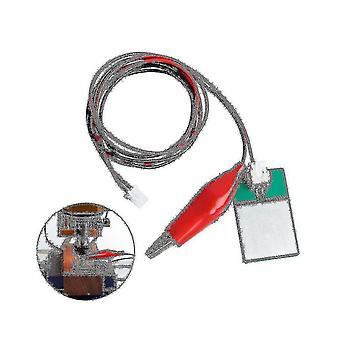
Description
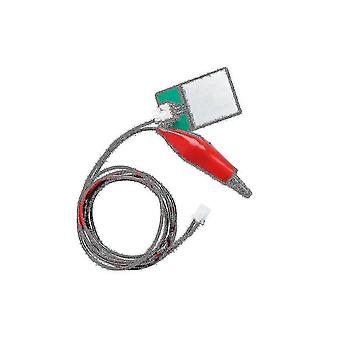
Grbl Cnc Z-axis Router Touch Plate Tool Setting Probe Milling Tool For Cnc Diy Engraving Machine
The function of the tool setting instrument The measurement and compensation of the tool value in directions can effectively eliminate the error and inefficiency caused by manual tool setting.
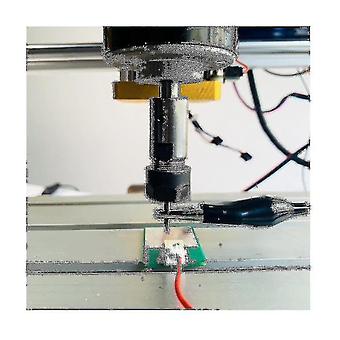
No matter what kind of cutting tool is used for workpiece contour turning or milling, all tool tip points or tool axis lines involved in cutting must be adjusted or compensated so that they are accurately located at the same theoretical point or axis of the workpiece coordinate system on-lineHow to use:1.Alligator clip is fixed on the cutter2.
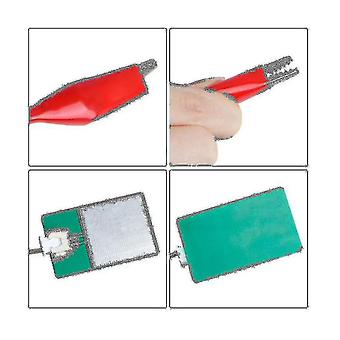
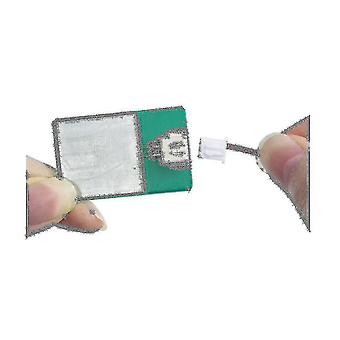
port has been connected to the control board (A5 interface on the 3018pro control board)3.Place (plastic + aluminum plate) under the toolmaterial: plasticColor as shownGRBL Z-probe CNC Router Tool Setting Automatic Tool Setter.
Thickness: 1.6mm (0.03mm)Tool Setting Function It can accurately locate the working surface, and is most suitable for PCB engraving.Easy to Use You can refer to video to understand how to use it correctly.Probe change the Probe in Grbl to: G91G21G38.2Z-30F100;G92Z1.6;G0Z5F10What
does G91G21G38.2Z-30F100;G92Z1.6;G0Z5F10
mean:G91: Use relative coordinate modeG21: Use mm unitG38.2:
Tool setting instructionZ-30: The Z axis moves 30mm in the negative direction, if it touches the tool setter, it will stop and set this point as the originF100: the speed of the Z-axis when it is running;: , instructionG92: Coordinate , because the tool setter has a thickness, in order to remove the thickness of the tool setter, you need to set the Z1.6: Z-axis 1.6, 1.6 is the thickness of the tool setter, which is subject to the actual measured thickness of the tool setter;: , instructionG0: fast movingZ5: The Z axismoves to the position of coordinate 5, which is convenient for taking out the tool setterF10: Z-axis upward movement speedPackage Contents:1 x Z-Axis Router Touch Plate setOnly the above package content, other products are not included.Note:
Light reflection and different displays may cause the color of the item in the a little different from the real thing.
The measurement allowed error is +/- 1-3cm.
-
Fruugo ID:
215409163-459394552
-
EAN:
5142472910816
Delivery & Returns
Dispatched within 2 days
Shipping from China.
We do our best to ensure that the products that you order are delivered to you in full and according to your specifications. However, should you receive an incomplete order, or items different from the ones you ordered, or there is some other reason why you are not satisfied with the order, you may return the order, or any products included in the order, and receive a full refund for the items. View full return policy