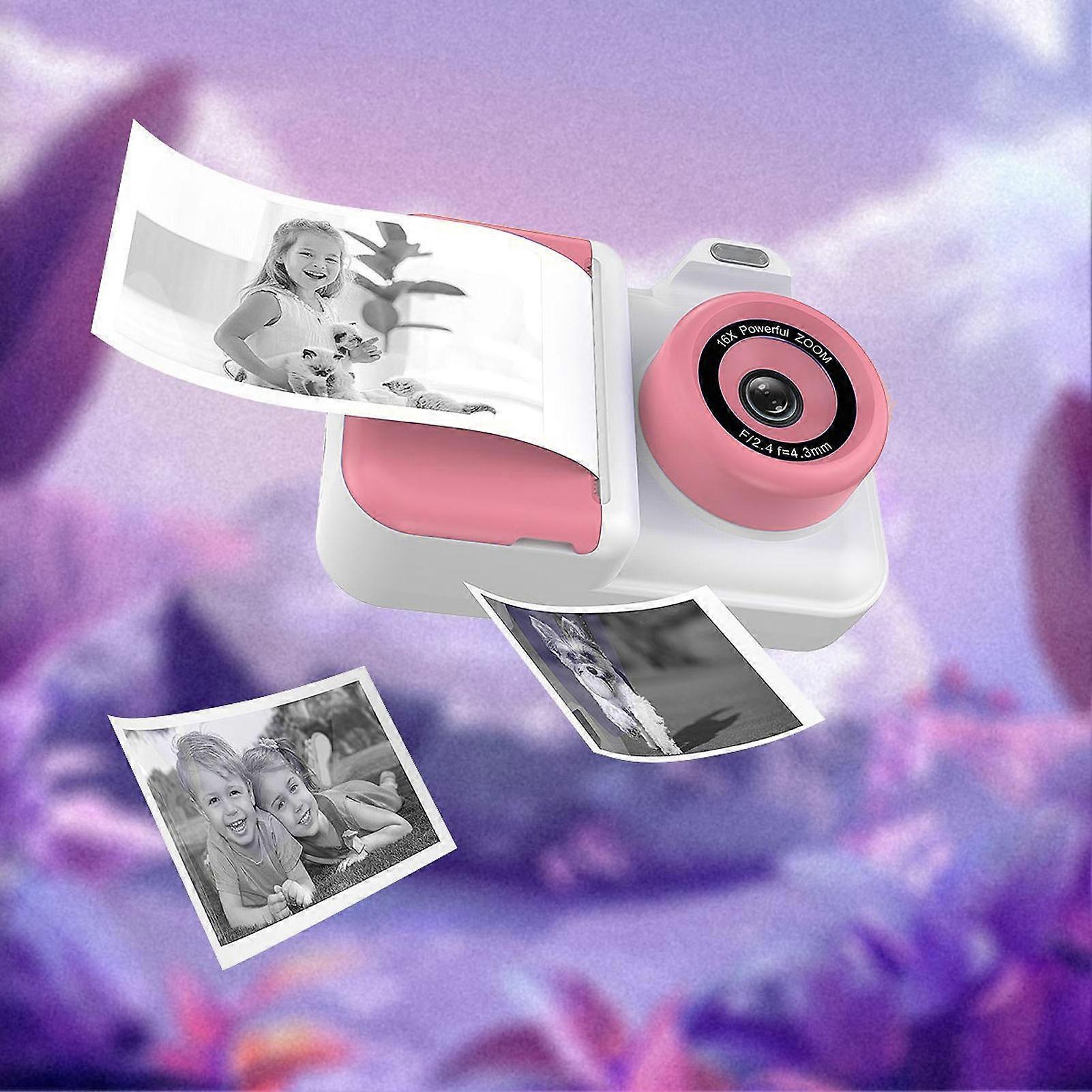
Instant Print Camera 2.4" IPS HD Screen, 32GB, Double Lens, Roseate White

£47.95
FREE Shipping

Instant Print Camera 2.4" IPS HD Screen, 32GB, Double Lens, Roseate White

  • Brand: Unbranded
Sold by:

Instant Print Camera 2.4" IPS HD Screen, 32GB, Double Lens, Roseate White

  • Brand: Unbranded

£47.95

Save £31.05 (39%)

RRP

£79.00
In stock
FREE Shipping

14-Day Returns Policy

Sold by:

£47.95

Save £31.05 (39%)

RRP

£79.00
In stock
FREE Shipping

14-Day Returns Policy

Payment methods:

Description

Instant Print Camera 2.4" IPS HD Screen, 32GB, Double Lens, Roseate White

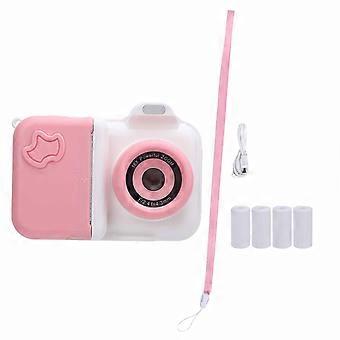
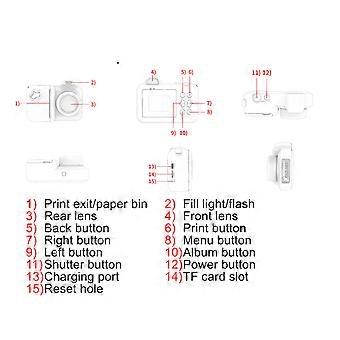
Instant Print Camera 2.4 Inch IPS HD Screen Double Lens Selfie Instant Print Camera with Flash 32GB Small Memory Card 5 Rolls Print Paper for Travel Roseate White Item Type: Instant Print Camera Material: ABS Weight: Approx. 535g / 18.9oz Storage Media: 32GB Small Memory Card, Ships with Small Memory Card (Installed) LCD Size: 2.4inch IPS HD Screen Pixel Range: Front and Rear Camera : 1MP Battery (Built in) : Li Battery 1300MAH Function: Photo Button and Interface Function Introduction: 1. Power button can be turned on off by long press; 2. Shutter Release Button 1) Confirm the key; 2) Tap this button to take photo or video in photo and video mode interface; Long press to switch front and rear lens; 3) Click to play and pause music in music interface; 4) Click to play and pause the video 3. Print Key 1) In the photo interface, click to open and close the print; (in the charging state, can not print) 2) In music interface, click to open and close the music list. 3) In video mode, tap to switch filters; 4) music interface click to switch to the next song 4. Click the Back Button to Return to the Previous Level. 5. Left Click 1) Selection key to left and up; 2) Under the photo interface, click to switch between continuous photography, timing, timing 5 Plus continuous taking, filter, effect, photo frame; long press to zoom focus; 3) Under the video recording interface, short press to switch filters; 4) Music interface click to switch to the previous song. 6. Right Click 1) Right and down selection keys; 2) Under the photo interface, click to switch between continuous photography, timer, timer 5 Plus continuous photography, filter, effect, photo frame; long press to narrow the focus. 7. Album Key, Video or Photo Interface under the Main Interface, Click to Quickly Enter the Album Interface. 8. Menu Key 1) Under photo interface, click to open flash, fill light mode; 2) Under the video recording interface, click to open and close the fill light mode; 3) Under the Album and Music interface, tap to tap the Delete File function; 4) Under the main interface, tap to quickly enter the menu settings. 9. Charging Port 1) Interface type: Type C; 2) Used to connect to an external power source to charge the battery or provide working power; 3) Used to connect to a PC; when there is a memory card in the device, you can view files on a PC; when the device is not plugged in, the device is used as a PC camera. 10. Reset Button When the Machine has a Startup Screen, Abnormal Death, etc., a Poke with a Pin Hole Like Object will Force the Machine to Shut Down. 11. Print Outlet, Paper Cassette 1) Print photo thermal paper outlet; 2) Print paper placement.
  • Fruugo ID: 416501547-878852422
  • EAN: 7891340987242

Delivery & Returns

Dispatched within 24 hours

  • STANDARD: FREE - Delivery between Mon 19 January 2026–Tue 20 January 2026 - FREE

Shipping from China.

We do our best to ensure that the products that you order are delivered to you in full and according to your specifications. However, should you receive an incomplete order, or items different from the ones you ordered, or there is some other reason why you are not satisfied with the order, you may return the order, or any products included in the order, and receive a full refund for the items. View full return policy

Product Compliance Details

Please see the compliance information specific to this product outlined below.

The following information is provided by the independent third-party retailer selling this product.

Manufacturer
The following information outlines the contact details for the manufacturer of the relevant product sold on Fruugo.

  • shenzhenshijiangjunfudianzishangwuyouxiangongsi
  • shenzhenshijiangjunfudianzishangwuyouxiangongsi
  • BantianjiedaoxiangjiaotangshequzhonghaogongyechengC2dongwuceng505
  • Longgangqu
  • Shenzhenshi
  • Guangdongsheng
  • China
  • 518000
  • Wallace22578@outlook.com
  • +8613084447403

Responsible Person in the EU
The following information outlines the contact information for the responsible person in the EU. The responsible person is the designated economic operator based in the EU who is responsible for the compliance obligations relating to the relevant product sold into the European Union.

  • SUCCESS COURIER SL
  • SUCCESS COURIER SL
  • CALLE RIO TORMES NUM.1.PLANTA 1,DERECHA.OFICINA3.Fuenlabrada.
  • Madrid
  • Spain
  • 28947
  • successservice2@hotmail.com
  • +34910602659